September 30, 2026
Is This Photo Real, or Made by AI?
AI images now move through Telegram, Eitaa, Bale and Rubika faster than any correction. A photo carries metadata — the closest thing to a receipt. Here is how "Is It AI?" reads it, what it can prove, and what it honestly cannot.

By the Socials Pro Team
An image circulates in a Telegram group: a scene from some disaster, or a photo of a child, captioned "just now, I took it myself." A few people forward it. One asks "source?" and no one answers. The image keeps moving — to Eitaa, Bale, Rubika — and by next morning it is part of the record.
A few years ago, almost all of those photos were real. Today, no. With one short sentence in an AI tool, anyone can produce an image in seconds that the naked eye cannot separate from a real photograph: correct light, correct shadows, skin detail and all. Unlike the clumsy fakes of a few years ago, these look clean and believable.
We can no longer tell what is real just by looking. And for a photo in the middle of a crisis, a political claim, or an advertisement, that difference matters.
The good news: there is a way to check — not a perfect way, but an honest one.
What is "Is It AI?"
"Is It AI?" is a tool inside SocialsPro that lets you check whether an image shows signs of being AI-generated.
It is simple: you upload an image, we read its metadata (EXIF, XMP, IPTC) with a tool called exiftool, and we report what we find — including when we find nothing. If the file carries no signal, we do not invent one.
The verdict is one of: AI-generated, Likely AI, Not AI (as far as metadata shows), Inconclusive, or Metadata stripped. It is available on every plan and free to use.
Why this matters
AI images are not a novelty anymore. They show up in news, on social media, in advertising, in political messaging, and in scams. An image can be manufactured to prove a claim, to discredit a fact, or to sell something that does not exist.
In Iran and the wider region the problem is amplified:
- content moves fast — Telegram, Eitaa, Bale, Rubika;
- images are routinely forwarded with no source;
- there is no widely-available tool for checking authenticity;
- and most people do not even know metadata exists.
Metadata is the closest thing we have to a receipt. When a camera takes a photo, it writes information into the file: camera model, date and time, exposure settings. An AI generator usually does not. So when that data is present, the file came from a camera (or a real photo app); when it is absent, caution is warranted.
The tool is not perfect. But it is honest — and that honesty is its real value.
How it works
Any digital image can carry three kinds of metadata:
- EXIF — written by the camera: model, date, shutter speed, aperture, ISO.
- XMP — added by editing software (Lightroom, Photoshop), sometimes with a description and keywords.
- IPTC — professional/news metadata: photographer name, copyright, and — in newer files — a digital source type.
We read all of it and look for signals: the name of an AI generator, a Stable Diffusion parameter signature, the DigitalSourceType tag the generator itself wrote, or the absence of camera data.
There are two very different cases:
1) The original file. A photo straight from a camera, a generator, or a clean download usually keeps its metadata. Here we have real things to report.
2) A social-media copy. A file that passed through WhatsApp, Telegram, Instagram or Facebook has had its metadata stripped. These platforms re-compress the file and throw EXIF and XMP away. The honest answer there is: "We cannot tell from this copy — ask for the original."
Your image is not kept. The file you upload is deleted the moment the check finishes. We do not store it, we do not keep a copy, and there is no archive of checked images anywhere — by design, not as a setting. Only the verdict is returned to you.
Why we trust exiftool
The tool is built on exiftool — and that choice is not arbitrary.
What it is: an open-source tool written by Phil Harvey, actively maintained since 2003, widely regarded as the gold standard for metadata extraction. It supports 25,000+ tags across dozens of formats and is used daily by digital forensics investigators, journalists and researchers. It is the same tool professional fact-checking teams rely on. For reference: exiftool.org
Why it matters here:
- It reads metadata at the byte level — nothing is hidden.
- It reports both the presence and the absence of metadata. A file's silence is itself data.
- It does not fabricate: if a signal is not there, it says so.
- It reads what is written in the file — it does not guess.
What it cannot do:
- It cannot recover metadata that has been stripped. If a platform deleted it, it is gone.
- It cannot tell you what the original file looked like, or whether it was edited.
- It does not understand image content — only metadata. We deliberately do not look at pixels and guess.
The results, with real screenshots
We ran four real images through the tool.
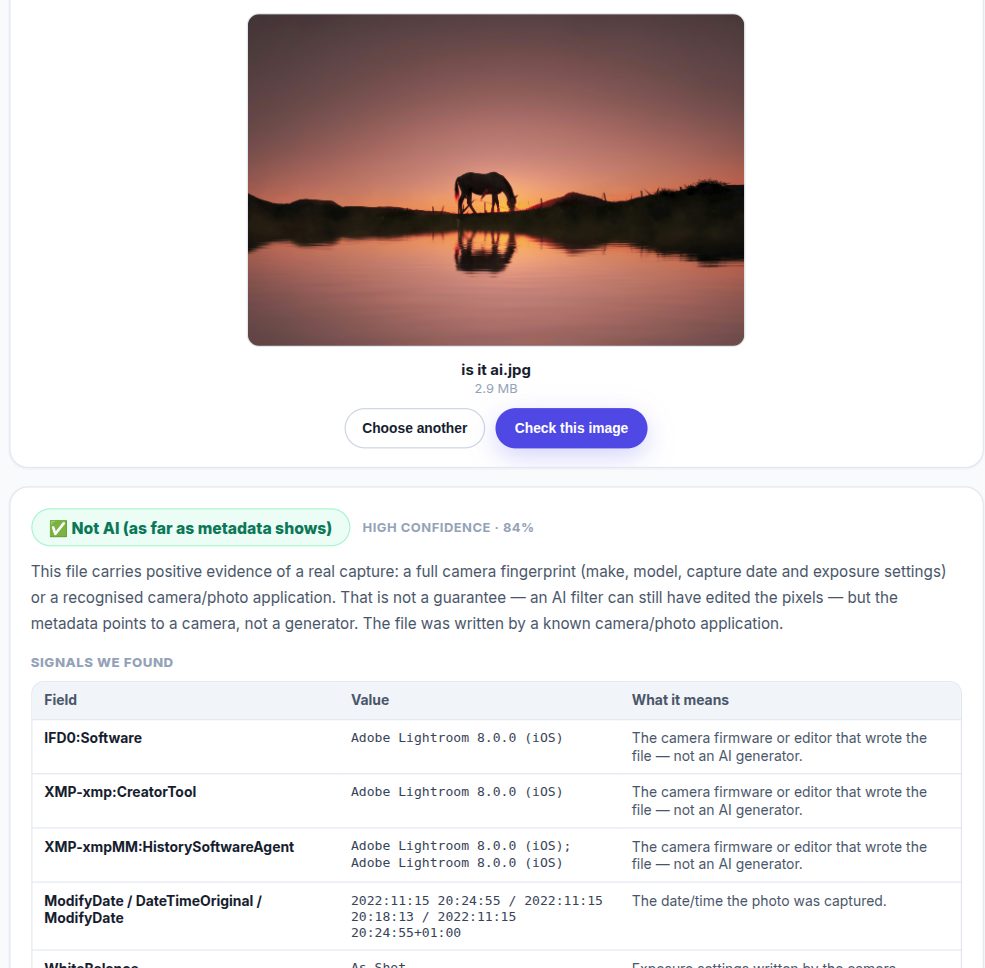
Example 1 — a real photograph. Verdict: Not AI (as far as metadata shows), High 84% — the file was written by a real photo application, Adobe Lightroom on iOS, with no AI-generator signal.
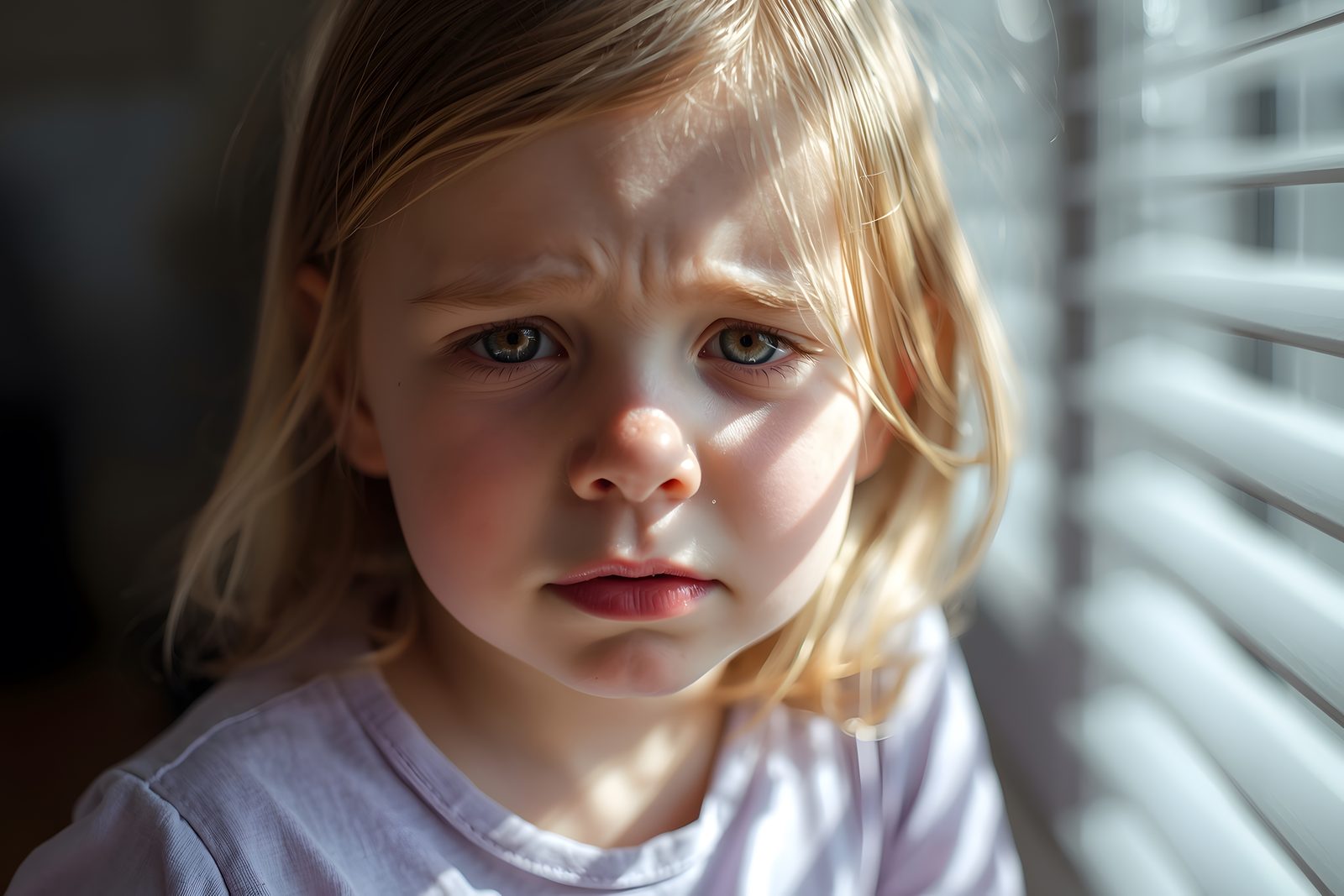
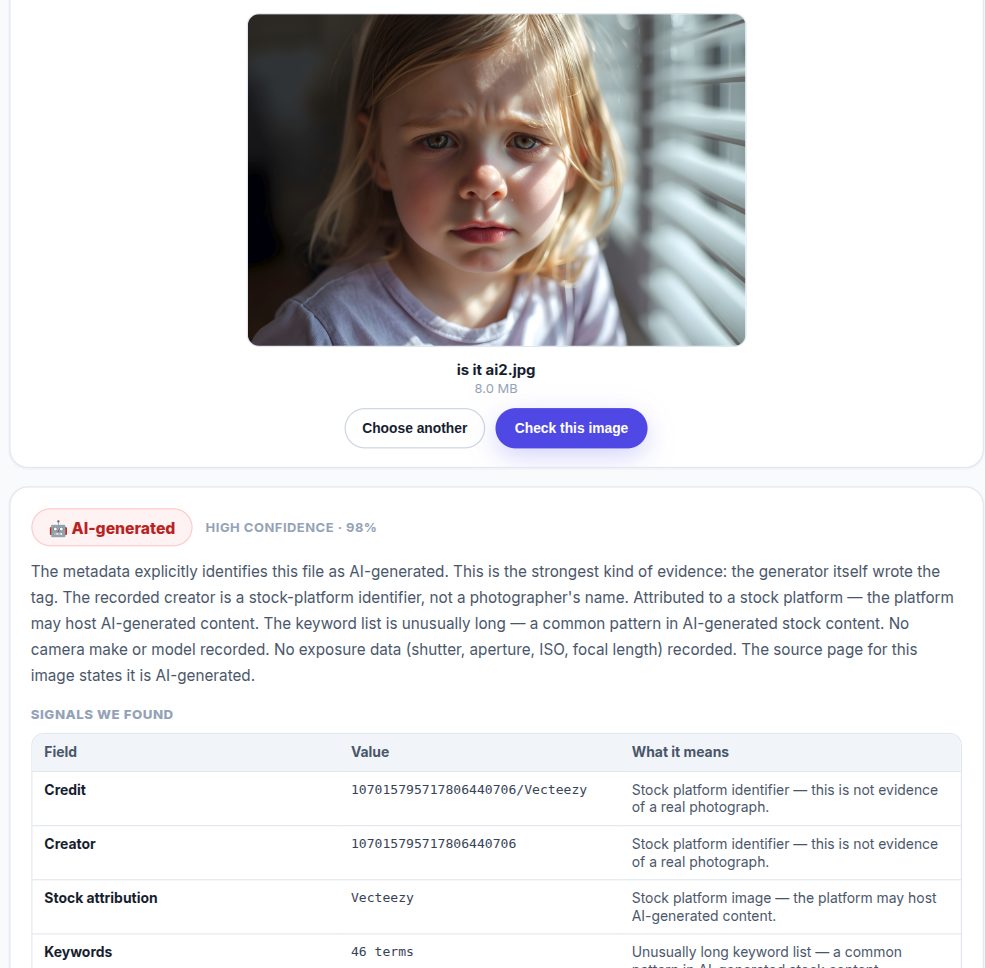
Example 2 — AI-generated. Verdict: AI-generated, High 98%. The recorded creator was a numeric stock-platform identifier (Vecteezy), not a photographer's name; there was no camera data; the keyword list had 46 terms; and the source page itself disclosed AI generation.
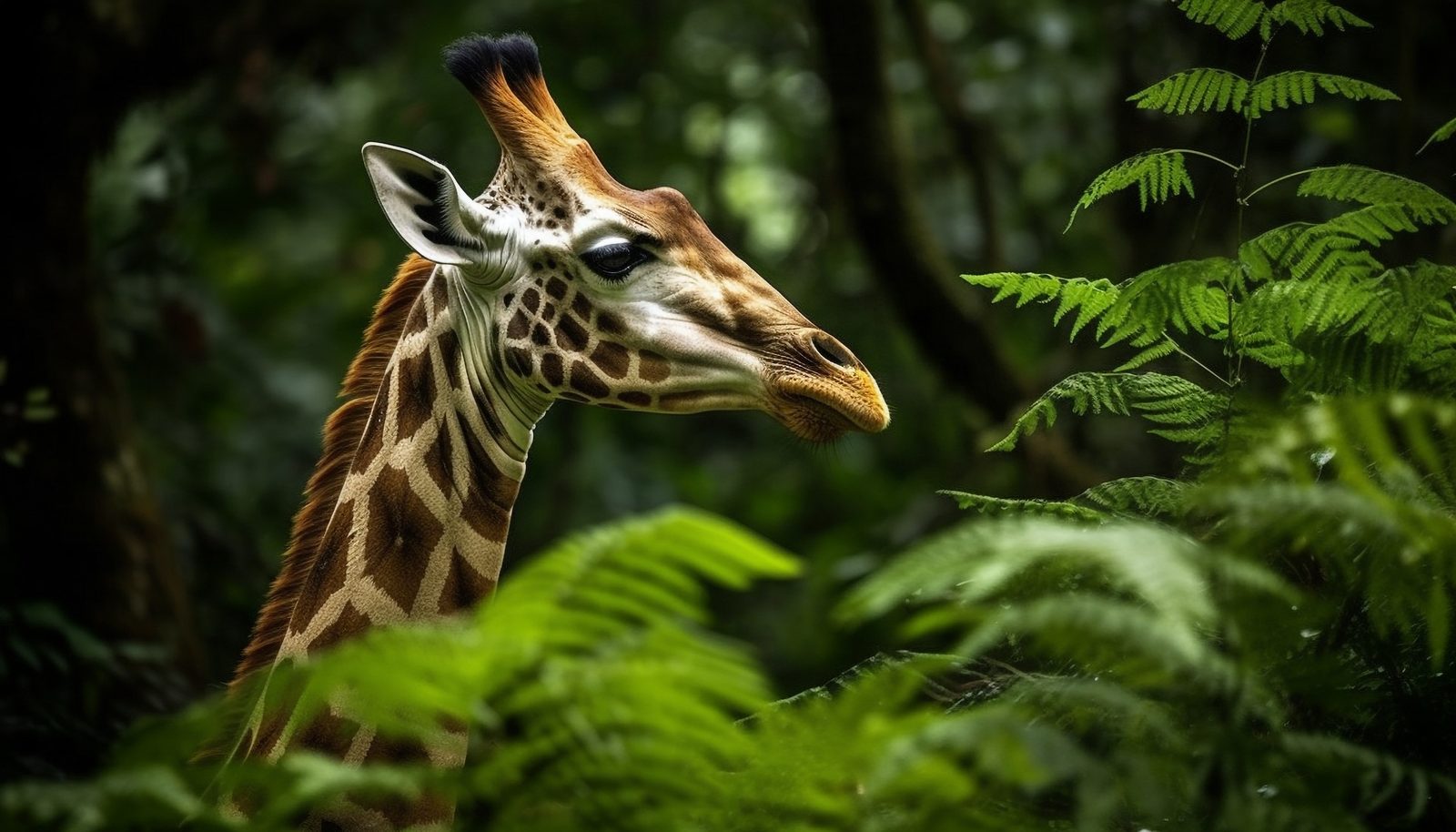
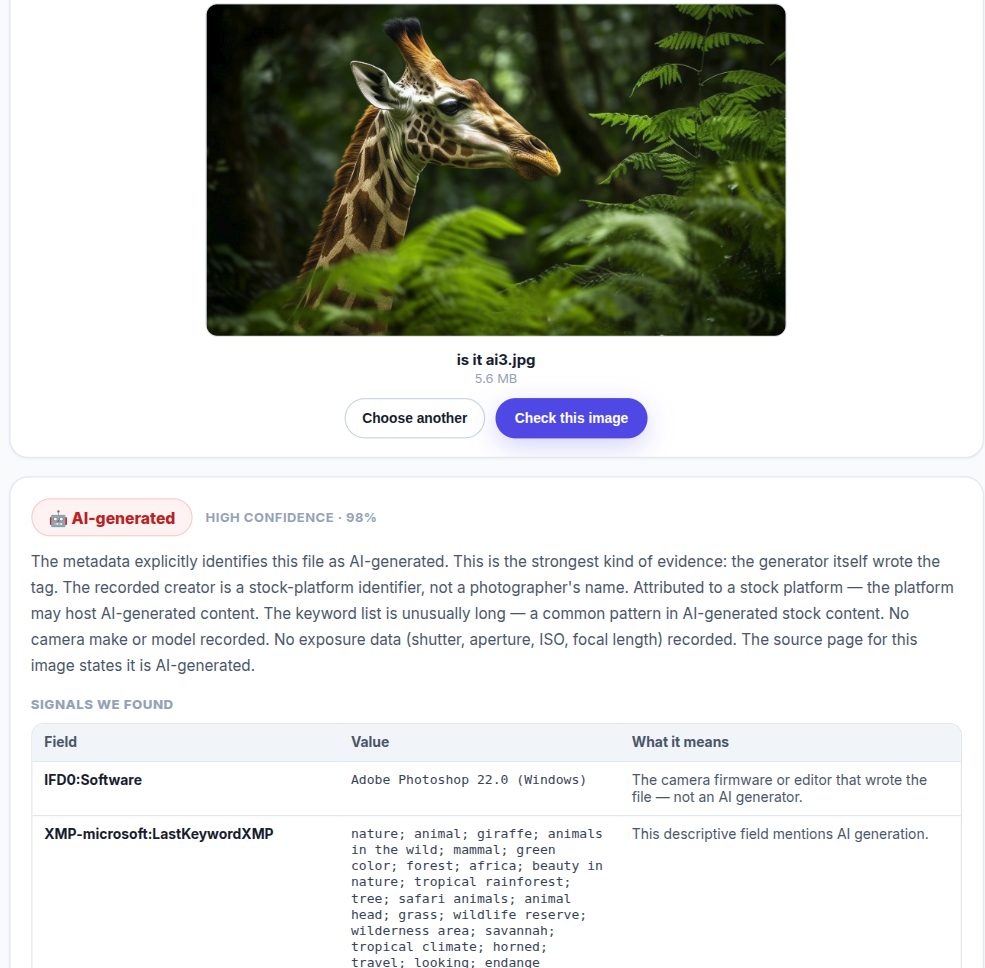
Example 3 — AI-generated. Verdict: AI-generated, High 98% — written by Photoshop (Windows) with an unusually long keyword list, a common pattern in AI-generated stock content.
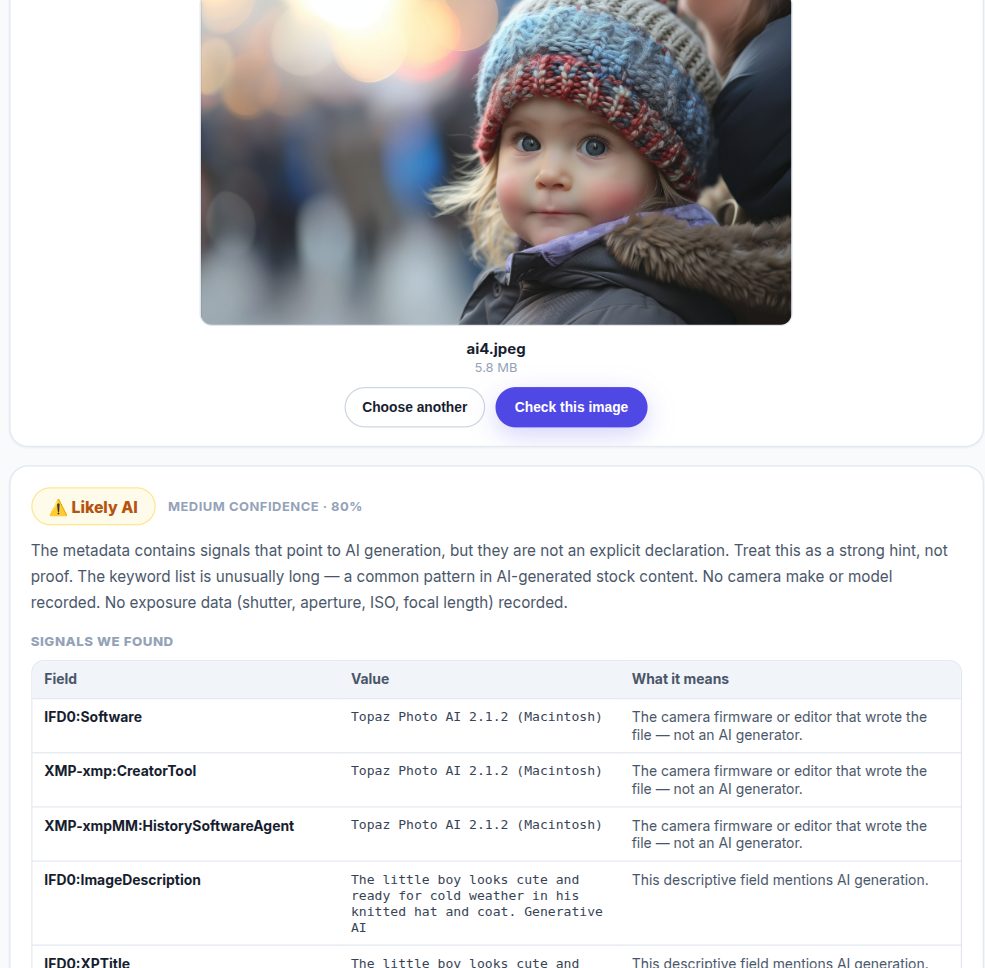
Example 4 — Likely AI. Verdict: Likely AI, Medium 80% — processed with Topaz Photo AI, with the phrase "Generative AI" recorded in the image description. This is why we keep levels: certain, likely, and unknown. When the signals are not explicit, the tool does not pretend they are.

The honest limitations
- Social media strips metadata — we cannot help with those files, and the tool says so instead of guessing. When there is nothing to read, it shows no confidence percentage, because it has not determined anything.
- Screenshots erase metadata — capturing an image off a screen creates a fresh, dataless file.
- Heavy editing may remove the original signals.
- This is a signal, not a verdict. Camera metadata means the file is likely real, but nothing is guaranteed; and the absence of an AI signal does not mean a photo is real.
We never say "100% certain." When the metadata supports certainty, we say so; when it does not, we say that instead.
When to use it
- Before forwarding a viral image.
- Before publishing user-submitted content.
- Before trusting an image in a news story.
- Before using a stock image in a project.
- Before sharing an image that claims to be real.
Try it now
"Is It AI?" is free and available on every plan. Upload an image and see the report in seconds.
→ Try it
And one small ask: when you find something, forward it with its source. That one habit alone slows the spread of fake images.